


★★★★★
“We cut our first-draft time dramatically. Copilot 3D gives us usable options fast, so reviews move quicker.”

Sarah M.
San Francisco, CA
 Copilot 3D
Copilot 3D Pro workflows for faster, cleaner production output
Build reliable 3D assets with Copilot 3D using prompts, references, and repeatable export steps.
Loading video...
Run copilot text to 3d or copilot image to 3d in one interface, then export results for delivery.


Or drag files here
Supports JPG, PNG, WEBP formats, max 5MB
No image? Try these:


Pick a style direction first, then refine prompts for more consistent Copilot 3D results.
See how teams turn simple inputs into usable outputs with cleaner iteration loops.
Upload a single image and get a 3D model you can review, edit, and share with your team. This helps you move from idea to feedback much faster.

Check shape and details in a full 360 view before you export, so you can catch issues early. You can quickly compare versions and choose the most polished result.
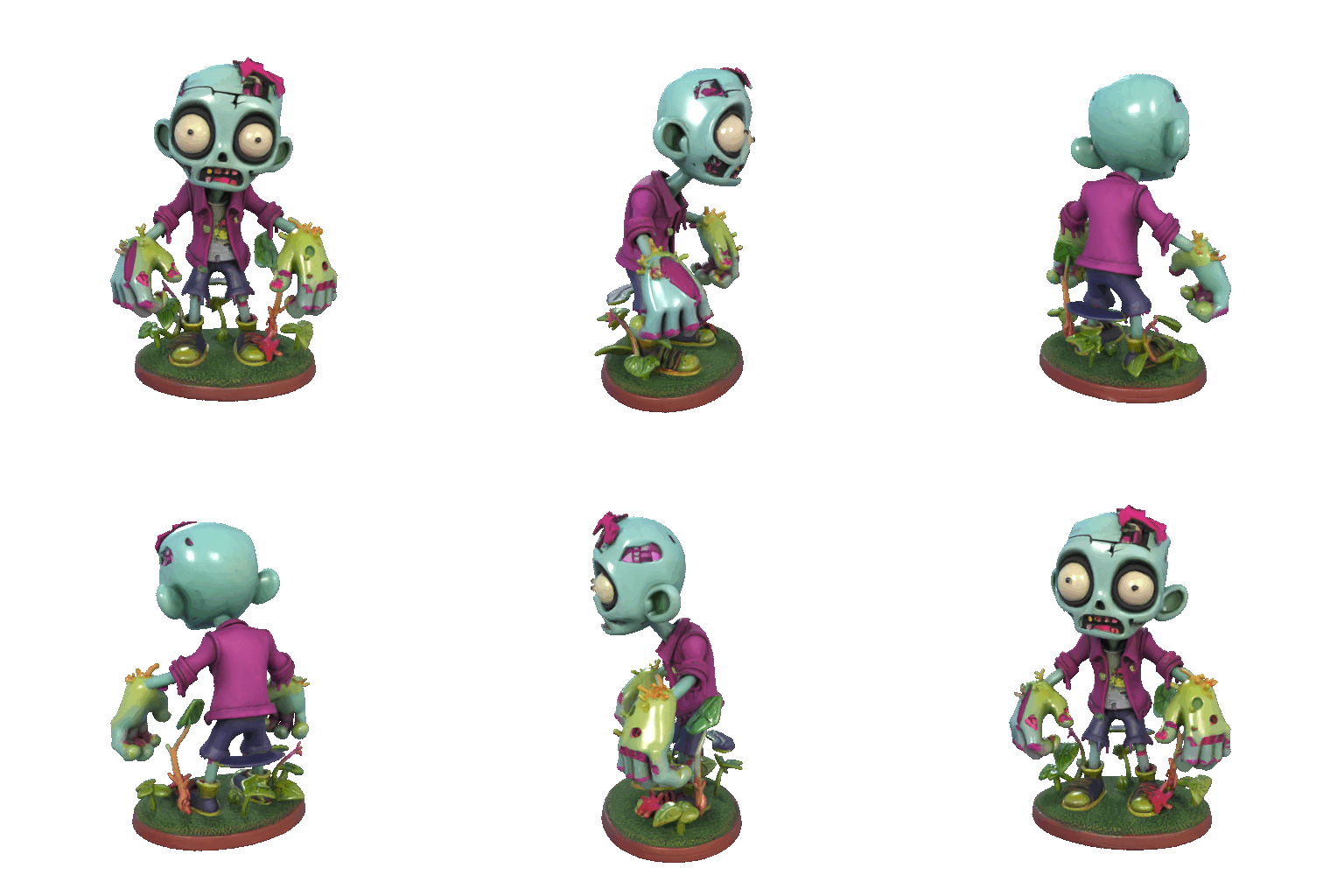
Generate character concepts in minutes, then refine the one you like for campaigns, games, or social content. It is a simple way to explore multiple styles without starting from scratch each time.

Copilot 3D is designed for teams that need reliable results under deadlines. It balances creative control with a workflow that is easy to repeat.
Clear text instructions map to cleaner first-pass outputs, reducing trial-and-error cycles.
Export files that are easier to review, share, and move into downstream tools.
Adjust shape, material, and mood using simple wording instead of complex toolchains.
Beginners can start quickly, while advanced users still get enough control for serious work.
Generate, compare, and improve in short cycles so teams can make decisions faster.
Start with intent, refine with references, and export confidently. This flow keeps generation fast while making results easier to review and ship.
Write a clear prompt with object type, material, style, and lighting so Copilot 3D can produce a stronger first draft.
Add an image when precision matters. Reference guidance helps preserve composition and improves consistency.
Generate multiple options, pick the best fit, then export for product pages, campaigns, or internal reviews.
Testimonials
Real feedback from creators, marketers, and product teams who use Copilot 3D in daily production workflows.
“We cut our first-draft time dramatically. Copilot 3D gives us usable options fast, so reviews move quicker.”
Sarah M.
San Francisco, CA
“The prompt control feels intuitive. We can move from rough ideas to polished visual directions without tool overhead.”

Michael R.
Austin, TX
“Consistency is the biggest win for us. Different generations still feel like they belong to the same project.”

Lisa K.
Seattle, WA
“Reference-based generation works well. It helps us align outputs with brand direction and client expectations.”

David L.
Miami, FL
“I am not a 3D specialist, but the workflow is easy enough that I can still produce strong presentation assets.”

Emma J.
Portland, OR
“For campaign deadlines, Copilot 3D helps us deliver faster while keeping quality predictable across variations.”

James T.
Denver, CO
Select a plan based on generation volume, delivery speed, and collaboration requirements.
Best for first-time creators and lightweight monthly projects
Start with essentials:
For professionals who need stable, repeatable output quality
Everything in Basic, plus:
For high-volume teams with advanced delivery requirements
Everything in Pro, plus:
Find quick answers about workflow, quality, formats, credits, and practical usage in real projects.
Copilot 3D helps teams generate 3D assets for ecommerce, campaigns, concept design, and product storytelling with less manual effort.
Use specific prompts that include object type, material, style, and lighting. Add a reference image when composition accuracy is important.
Yes. The interface is designed for simple prompt workflows, so non-technical users can still create useful outputs quickly.
Common export formats include OBJ, FBX, GLB, and STL. Exact format availability may vary by generation workflow.
Most generations complete quickly. Processing time depends on model complexity and current queue load.
Each generation consumes credits based on your plan. You can upgrade plans or purchase additional credits when needed.
Paid plans include commercial usage rights, so you can use outputs in client work, marketing, and business content.
Yes. You can iterate with prompt changes, style adjustments, and references until the model matches your target.
Copilot 3D is web-based and works in modern mobile browsers, so you can generate and review results without a separate app.
It reduces setup and manual modeling overhead, making it easier to move from idea to review-ready output in much less time.
Write a prompt, generate options, and export the result that best fits your project goals.